Publish your notes for free in a few clicks with Quartz and GitHub Pages
The easiest way to publish your Obsidian notes for free
The Obsidian Plugin allows you to publish your vault in minutes. The plugin uses Quartz as a site generator and GitHub Pages for hosting, and does the configuration setup for you.
- 251sites published
- 860site updates
- 7stars on GitHub
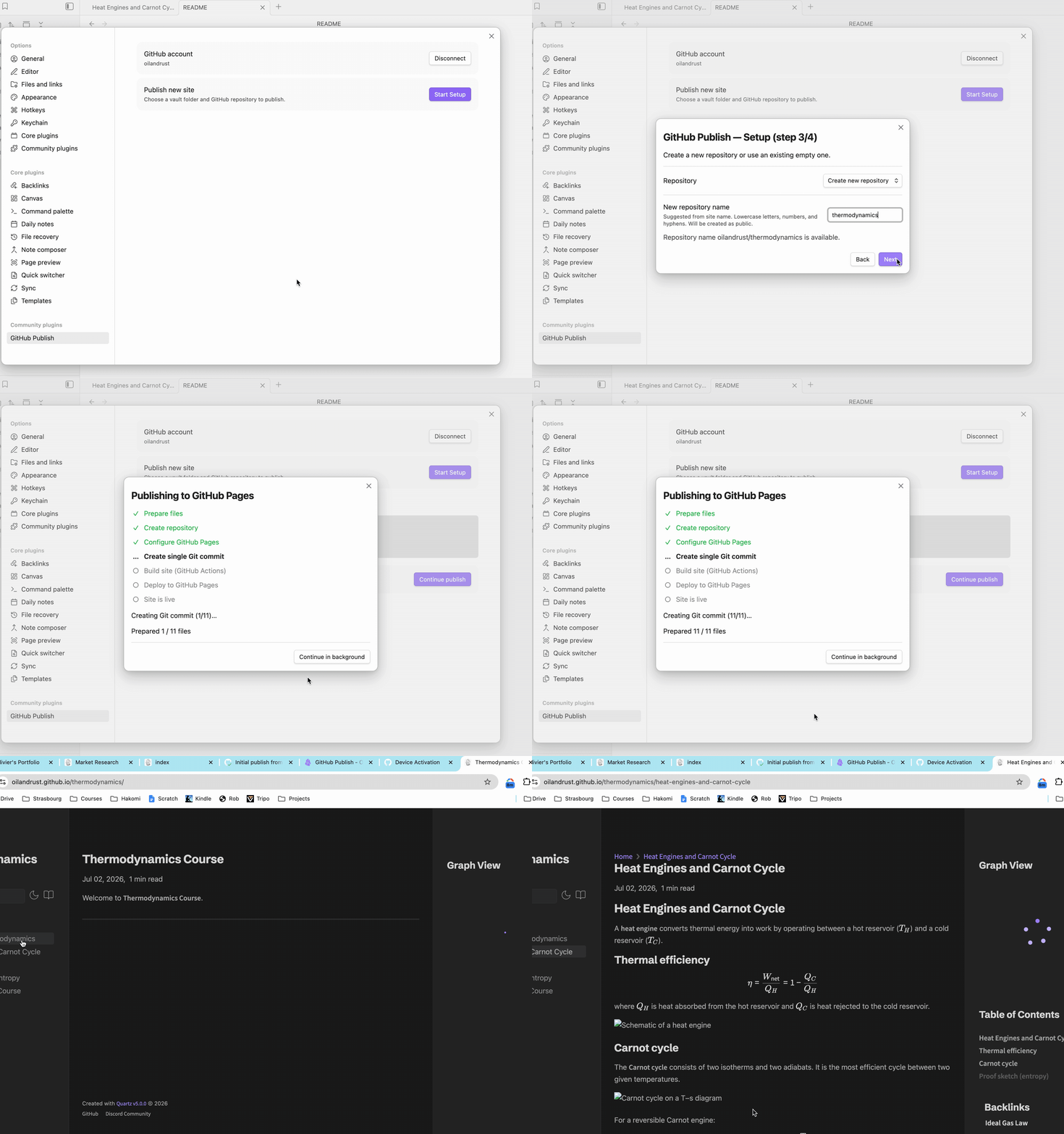
Easy steps:
Authenticate with your GitHub account
Give permissions (public repo and actions)
Select the folder you want to publish and the name of the site
Your site will be live in a minute!
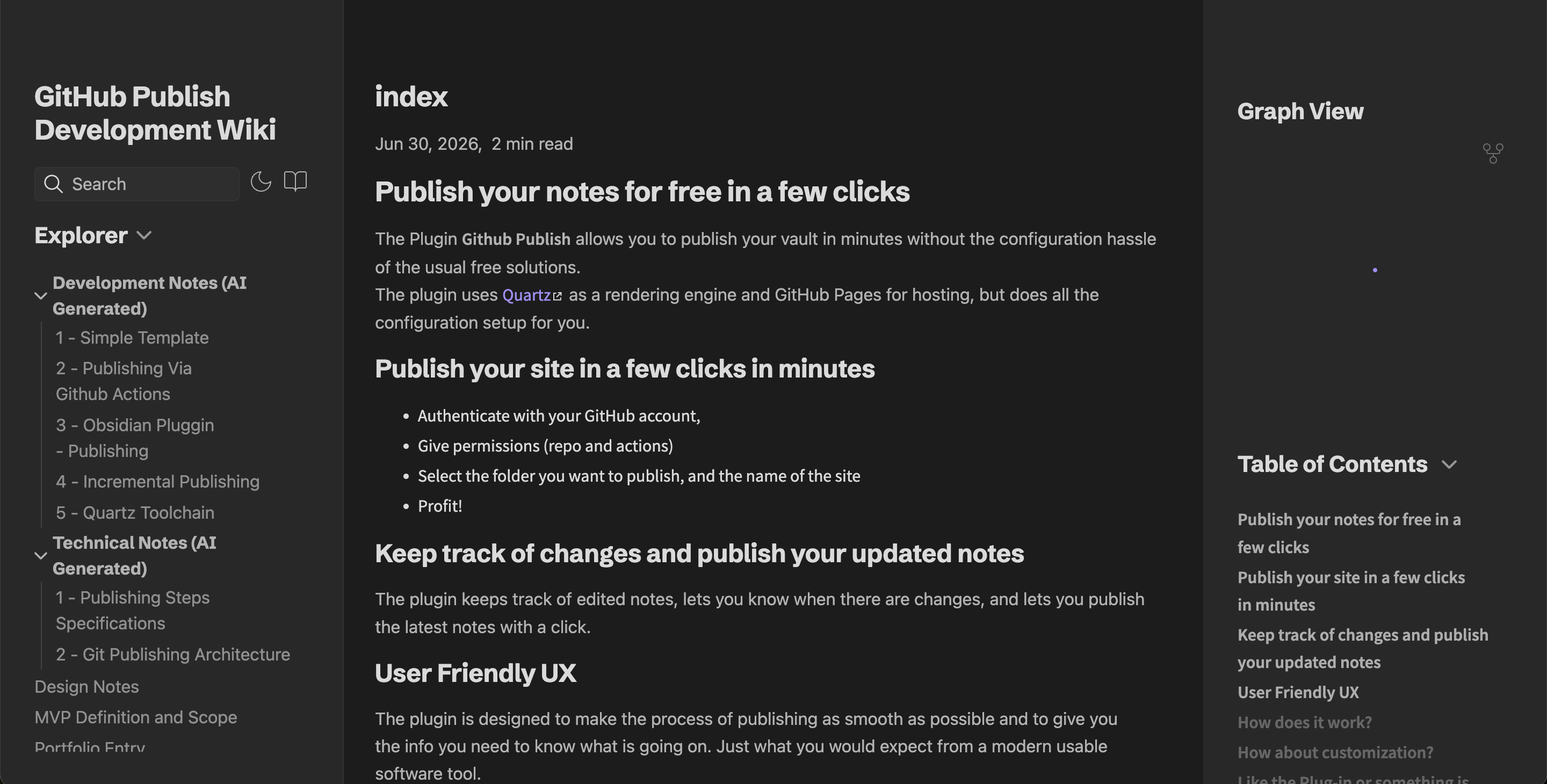
Publish with Quartz for maximum compatibility and configurability
Quartz supports many Obsidian features such as wikilinks, callouts, graph view, and more, so that you can be confident that your note will be rendered accurately. On top of that, Quartz plugins allow you to customize your site and add functionality.
Features
One-click setup
choose a content folder, site name, and repository; the plugin handles the rest
Quartz by default
Obsidian-flavored markdown, backlinks, and graph view out of the box
Incremental publishes
only changed notes are uploaded after the initial publish
Multi-site
publish several folders from one vault to separate repositories
Progress tracking
monitors GitHub Actions until the site is live